Supported resume evidence
Maintained Salesforce dashboards, lifecycle metrics, process documentation, renewal metadata, and reporting definitions.
AI resume tailoring for one specific job
Resume Assist compares your real experience with the job description, asks useful clarifying questions, and strengthens the language that is already true.
$2.99 one-time. Includes one tailored resume, one regeneration, and a selectable PDF. No subscription.
Resume Assist compares your resume against the job description and helps reshape your wording around the skills, responsibilities, and priorities the role actually asks for.
When the wording feels right, choose a professional template and download a clean, readable PDF you can send with confidence.
Built for job seekers who want stronger role alignment without creating an account, learning a bloated editor, or starting from scratch.
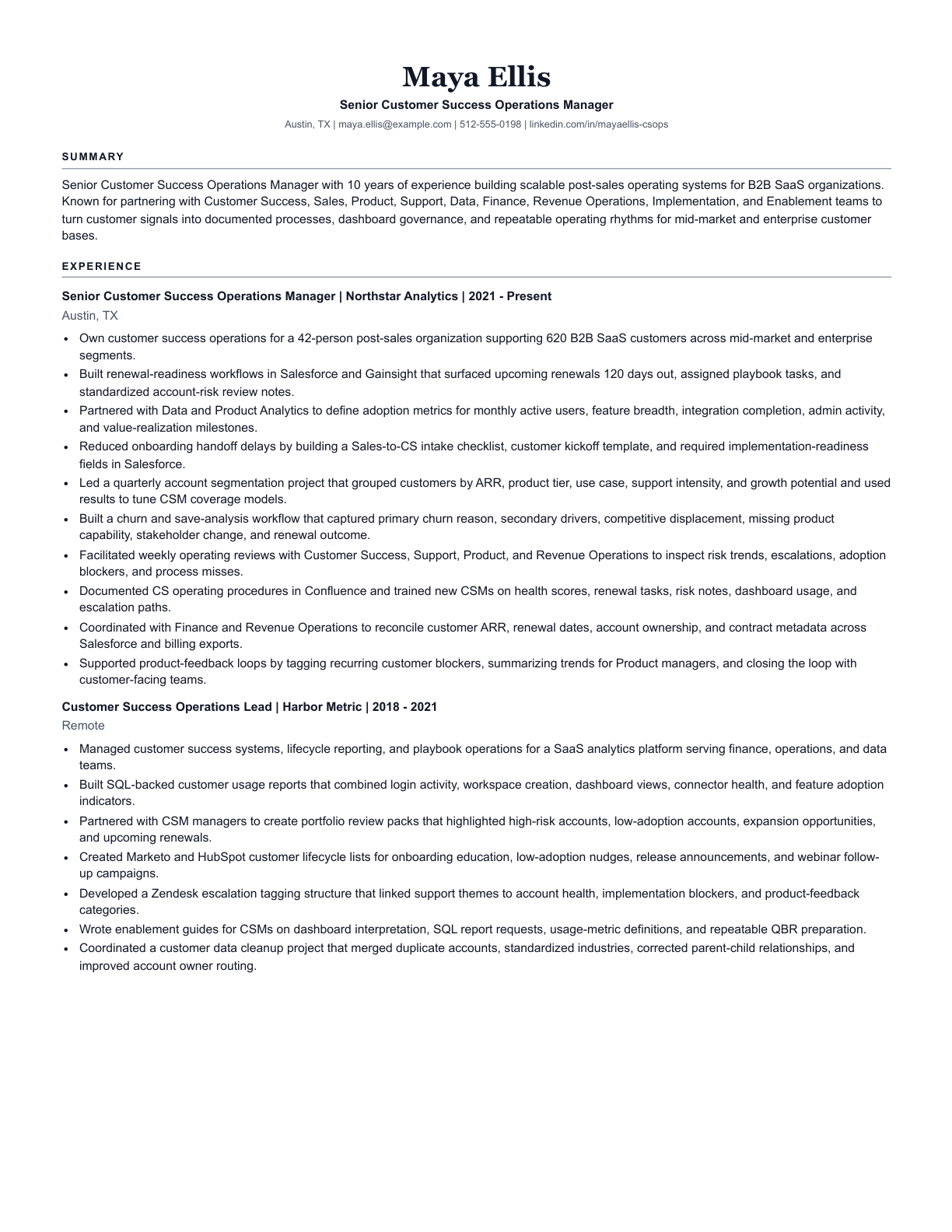
This fictional example shows how Resume Assist connects existing customer-operations evidence to a more specific role without inventing tools, employers, or results.
Maintained Salesforce dashboards, lifecycle metrics, process documentation, renewal metadata, and reporting definitions.
Own customer success operations across onboarding, adoption, renewals, and risk reporting.
Built renewal-readiness workflows that surfaced upcoming renewals, assigned playbook tasks, and standardized account-risk review notes.
Sample output from the real Resume Assist PDF renderer. Candidate details are fictional.
Modern hiring workflows often compare your resume against the language and requirements of a specific role. Resume Assist helps close that gap by making your real experience read more clearly against the job description you provide.
Strengthens wording around the responsibilities, tools, and skills already supported by your resume.
Brings the most relevant parts of your experience forward for the specific job you are targeting.
Improves fit without adding unsupported qualifications, fake metrics, or invented experience.
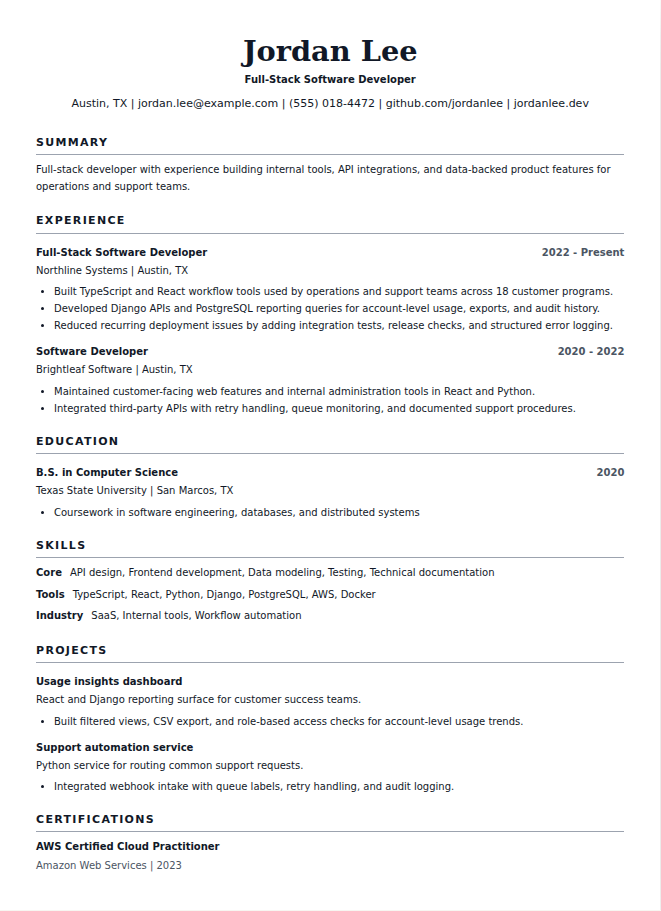
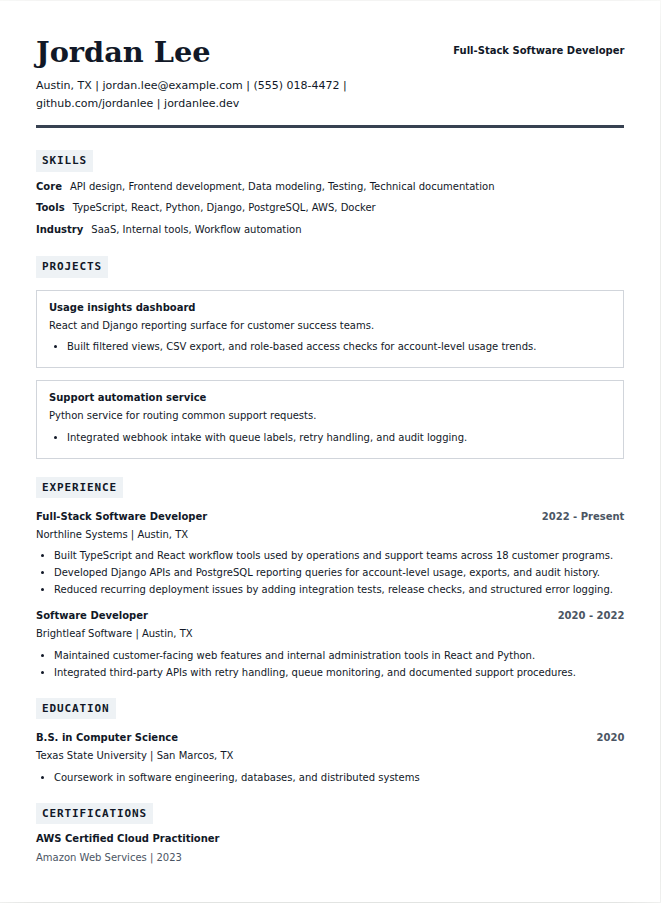
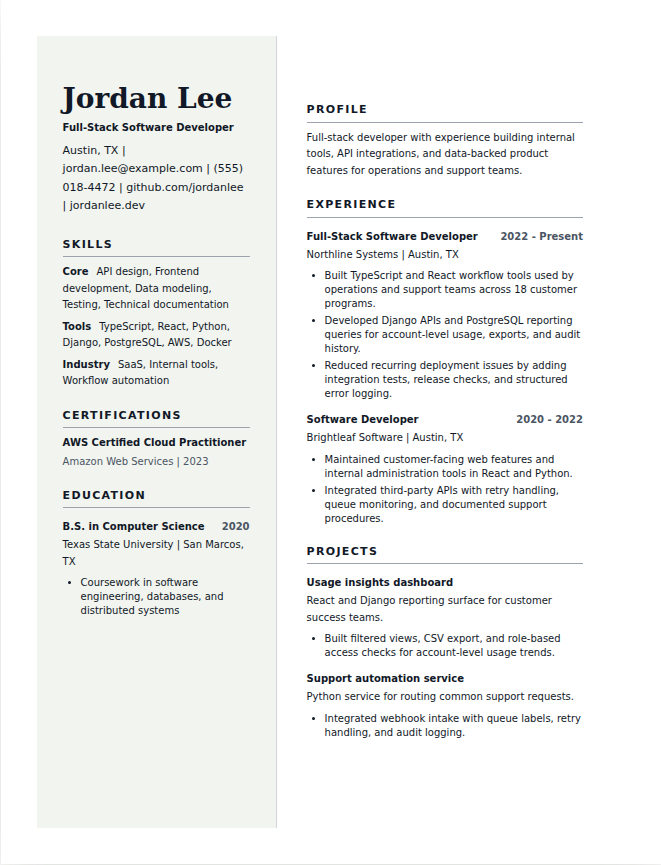
Every template uses the same structured resume data, but the layout, hierarchy, spacing, and section emphasis are different. Pick the version that best fits the job, industry, and level of experience.
Clean, direct, and easy for hiring systems to parse.
Structured for technical skills, systems, projects, and tools.
A polished layout with a clean side rail and modern hierarchy.
Start with a PDF, DOCX, or TXT version of your current resume. Resume Assist uses your existing experience as the source of truth.
Paste the full job posting so Resume Assist can identify the role’s responsibilities, language, skills, and priorities.
Each paid session includes one optimized generation plus one requested regeneration. Extra regenerations are available for $1 each, while template switching remains available without changing the text.
Choose a template and export a professional, selectable-text PDF built from clean structured resume data.
Resume Assist improves clarity, relevance, and job-specific alignment without inventing employers, credentials, dates, degrees, certifications, job titles, tools, metrics, or responsibilities.
Resume Assist costs $2.99 per resume session. Each paid session includes one optimized generation, one requested regeneration, template switching, and a final PDF download. Extra regenerations are available one at a time for $1 each.
No. Resume Assist does not require an account. After payment, you receive access to a private resume session link.
Resume Assist supports PDF, DOCX, and TXT resumes. Scanned PDFs may also be supported when server-side OCR is enabled.
For reliability, Resume Assist uses pasted job description text instead of scraping job posting URLs. This keeps the draft grounded in the exact role you provide.
No. Resume Assist rewrites, reorganizes, and formats the experience you provide. It does not invent employers, dates, job titles, degrees, certifications, tools, metrics, or qualifications.
Yes. Resume Assist exports clean, readable, selectable-text PDFs designed for ATS parsing. The templates avoid image-only layouts, heavy graphics, and decorative structures that can make resumes harder to read.
$2.99 includes one tailored resume, one requested regeneration, template switching, and a selectable PDF.